
Professional Certificate in Workflow Automation in Microsoft Power Automate
Learn to automate workflows in Microsoft Power Automate, enhancing productivity and efficiency through hands-on projects and expert instruction.
Professional Certificate in Workflow Automation in Microsoft Power Automate
Programme Overview
This course is designed for professionals eager to streamline their workflows using Microsoft Power Automate. It's perfect for those who want to automate repetitive tasks, integrate apps, and enhance productivity. First, you'll learn the basics of Power Automate. Then, you'll dive into creating and managing automated workflows.
Next, you'll explore advanced features. You'll learn to connect different apps and services. Moreover, you'll gain hands-on experience with real-world projects. By the end, you'll have a solid understanding of workflow automation. This will enable you to boost efficiency and drive innovation in your role.
What You'll Learn
Unlock your potential with our Professional Certificate in Workflow Automation in Microsoft Power Automate. First, dive into the fundamentals of workflow automation. Then, master Microsoft Power Automate, a powerful tool designed to streamline processes. Next, learn to create, customize, and deploy automated workflows. Meanwhile, gain hands-on experience through real-world projects. Consequently, you'll boost productivity, reduce errors, and save time. Moreover, stand out in the job market with in-demand skills. Additionally, open doors to roles like Automation Specialist, Power Automate Developer, and Process Improvement Consultant. Lastly, join a supportive community. Together, we'll transform your career. Enroll now and take the first step towards automation excellence!
Our course features interactive lessons, expert-led tutorials, and practical assignments. Furthermore, you'll engage in collaborative projects. Meanwhile, receive personalized feedback and guidance. Ultimately, you'll graduate with a certificate. Also, you'll have the confidence to innovate and lead in any industry. Ready to automate your future? Enroll today!
Programme Highlights
Industry-Aligned Curriculum
Developed with industry leaders to ensure practical, job-ready skills valued by employers worldwide.
Expert Faculty
Learn from experienced professionals with real-world expertise in your chosen field.
Flexible Learning
Study at your own pace, from anywhere in the world, with our flexible online platform.
Industry Focus
Practical, real-world knowledge designed to meet the demands of today's competitive job market.
Latest Curriculum
Stay ahead with constantly updated content reflecting the latest industry trends and best practices.
Career Advancement
Unlock new opportunities with a globally recognized qualification respected by employers.
Topics Covered
- Introduction to Microsoft Power Automate: Learn the basics of Microsoft Power Automate and its role in workflow automation.
- Creating Your First Flow: Develop a simple automated flow using Power Automate's user-friendly interface.
- Understanding Triggers and Actions: Explore the fundamental components of flows: triggers and actions.
- Working with Data in Power Automate: Learn to integrate and manipulate data within your automated workflows.
- Advanced Flow Design: Create complex workflows using loops, conditions, and error handling.
- Integrating Power Automate with Other Microsoft Services: Connect Power Automate with other Microsoft tools like Teams, SharePoint, and Dynamics 365.
Key Facts
Audience: This certificate is designed for professionals eager to enhance productivity and efficiency in their organizations. Users of all skill levels can benefit. Whether you're a beginner or an experienced user, you'll find value in this program.
Prerequisites: First, you need basic computer skills. Next, familiarize yourself with Microsoft Power Automate. Finally, access to a computer and internet is required. Additional software may be needed.
Outcomes: First, you will learn to automate repetitive tasks. Then, you will gain hands-on experience with Power Automate. Next, you will create efficient workflows. Lastly, you will receive a recognized certificate.
Why This Course
Firstly, pick this certificate to gain practical skills. You will create automated workflows. Next, learn from Microsoft experts. They will guide you through real-world scenarios. Finally, join a vibrant community. Network with fellow learners.
Programme Title
Professional Certificate in Workflow Automation in Microsoft Power Automate
Course Brochure
Download our comprehensive course brochure with all details
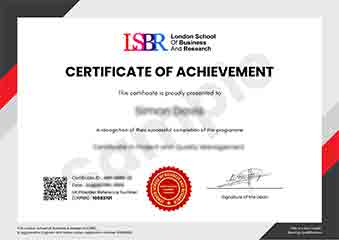
Sample Certificate
Preview the certificate you'll receive upon successful completion of this program.
Pay as an Employer
Request an invoice for your company to pay for this course. Perfect for corporate training and professional development.
What People Say About Us
Hear from our students about their experience with the Professional Certificate in Workflow Automation in Microsoft Power Automate at LSBR London - Executive Education.
Charlotte Williams
United Kingdom"The course content was incredibly comprehensive, covering everything from basic to advanced workflow automation techniques in Microsoft Power Automate. I gained practical skills that I've already started applying in my job, automating repetitive tasks and improving efficiency, which has significantly boosted my productivity and career prospects."
Oliver Davies
United Kingdom"The Professional Certificate in Workflow Automation in Microsoft Power Automate has been a game-changer for my career. I've gained hands-on experience with tools that are directly applicable to my role, allowing me to streamline processes and increase efficiency. This course has not only enhanced my technical skills but also opened up new opportunities for career advancement by making me more valuable to my organization."
Ahmad Rahman
Malaysia"The course structure was exceptionally well-organized, with each module building logically on the previous one, making complex topics in workflow automation accessible and easy to follow. The comprehensive content not only covered the technical aspects of Microsoft Power Automate but also provided real-world applications, which has significantly boosted my professional growth by enabling me to automate repetitive tasks efficiently."